Preschool App for iPad & Tablets: The Best Learning
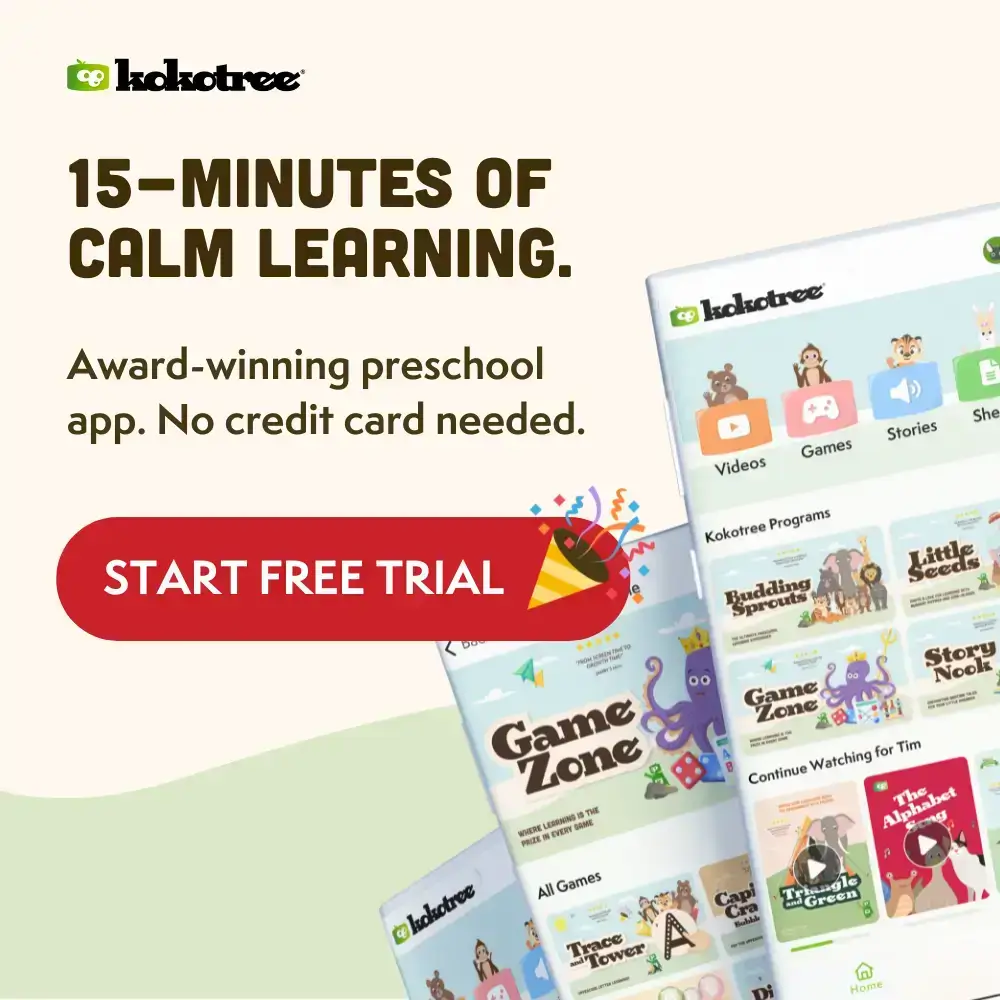
For most families, the tablet is where screen time lives—and the Kokotree preschool app is designed tablet-first. The larger screen provides the ideal viewing experience for young eyes. The touch-friendly interface lets children ages 1–6 navigate independently. Kokotree works beautifully on iPad, Android tablets, and Amazon Fire tablets, with offline downloads for anywhere learning, multiple child profiles for siblings, and a 100% ad-free environment.
Why Phones and TVs Fall Short—And Why Tablets Get Learning Right
You have options for where your child watches educational content. Phone screens strain small eyes. TVs require everyone to be in one room. Tablets hit the sweet spot that other devices miss for early learning.
The Phone Problem
- Screen too small: Extended learning sessions strain developing eyes.
- Easy to lose grip: Little hands drop phones constantly.
- Shared device: Your phone is for you. Kids need their own learning space.
The TV Limitation
- Not portable: Can’t take it in the car, to grandma’s, on airplanes.
- Shared viewing only: No individual profiles, no personal progress.
- Less engaging: Big screens feel like watching, not participating.
Why Tablets Work Best
- Perfect screen size: Large enough to see clearly, small enough for little hands to hold.
- Natural touch interface: Children point and tap instinctively—no mouse coordination needed.
- Portable learning: Goes everywhere the child goes.
- Personal device: Multiple profiles mean each child has their own progress and favorites.
Kokotree: Built for Tablets First
Every aspect of Kokotree—interface, content length, navigation—is optimized for how children actually use tablets. This isn’t a phone app stretched to fit a bigger screen. It’s designed from the ground up for tablet learning.
What Makes Kokotree the Best Preschool App for iPad and Tablets
500+ Educational Videos Formatted for Tablet Viewing
Vibrant colors and crisp animation across the full curriculum. Formatted for tablet aspect ratios. Content that looks as good as it teaches.
Real Learning Paths, Not Random Videos
Structured progression in phonics, math, science, social-emotional learning, and creativity. Children build skills systematically, not randomly.
Touch-Friendly Interface for Independent Navigation
- Big buttons: Sized for toddler taps.
- Proper spacing: Prevents accidental selections.
- Simple layout: Even 2-year-olds navigate independently.
Offline Downloads for Anywhere Learning
Download content over WiFi and watch anywhere:
- Airplane mode: Flights without meltdowns.
- Car trips: Hours of learning without cell signal.
- Rural areas: No WiFi? No problem.
See our offline mode for details.
Multiple Child Profiles for Peaceful Sharing
Each child has their own progress and favorites. One device serves your whole family without “whose turn” battles.
Parental Control Integration
Works with Screen Time (iPad) and Family Link (Android) for the limits you set.
Kokotree on iPad: Optimized for Apple’s Ecosystem
- Screen Time integration: Set limits that actually work.
- Family Sharing support: One subscription covers everyone.
- AirPlay to Apple TV: Cast to the big screen for family viewing.
- All current iPad models: iPad, iPad Air, iPad Pro, iPad mini.
- iPadOS 15 or later: Optimized for current systems.
Kokotree on Android Tablets: Full Feature Parity
Some apps treat Android as an afterthought. Kokotree is different—the Android experience matches iOS feature-for-feature:
- Same content, same learning paths: No compromises.
- Samsung Galaxy Tab, Lenovo, and most Android tablets: Broad compatibility.
- Amazon Fire tablets: Fire HD 8, Fire HD 10, Fire Kids all supported.
- Google Family Link integration: Parental controls that work.
- Android 8.0 (Oreo) or later: Works on most devices.
Download Kokotree from Google Play →
Tablet Learning App vs. Random Apps: What’s Actually Better for Your Child?
| Factor | Kokotree | Random Kids Apps |
|---|---|---|
| Content Quality | Educator-designed. Curriculum-aligned. | Variable. Often entertainment disguised as learning. |
| Ads | Zero. Never. | Frequent. Often inappropriate. |
| Offline Mode | Download and go anywhere. | Usually requires constant internet. |
| Multiple Profiles | Each child has their own progress. | Usually single-user or no tracking. |
| Interface Design | Tablet-first. Big buttons. Toddler-friendly. | Often phone-first, awkward on tablets. |
| Learning Structure | Paths that build skills progressively. | Random content with no progression. |
Best Practices for Tablet Learning That Actually Works
Set Up for Success
- Create dedicated profiles: One for each child during setup.
- Download content in advance: Especially before travel.
- Get a sturdy case: Preschoolers drop things.
Position Properly
- Screen at eye level: About arm’s length away.
- Good lighting: Reduces eye strain.
- Use a tablet stand: Maintains proper positioning during longer sessions.
Establish Healthy Sessions
Kokotree content is designed for 15–20 minute sessions. The age-based programs (Little Seeds, Budding Sprouts, Curious Tots) provide appropriate content length for each developmental stage.
Balance with Real-World Activity
After science content, go outside and observe nature. After creativity videos, get out art supplies. The best learning app inspires real-world exploration, not just screen time.
What Parents Say About Kokotree on Tablets
“The iPad is the perfect size for my daughter. She holds it herself, navigates independently, and doesn’t need me hovering. Best preschool app for iPad we’ve found.” — Mom of a 3-year-old
“We have a family tablet and three kids. The separate profiles changed everything—no more battles over whose turn it is.” — Dad of three, using Samsung Galaxy Tab
“Downloading videos before our cross-country road trip was a game-changer. Six hours each way, and she had educational content available offline the whole time.” — Mom of a 4-year-old
Frequently Asked Questions About Tablet Learning Apps
Is a tablet better than a phone for preschool learning?
For extended sessions, tablets are significantly better. The larger screen is easier on developing eyes and displays content more clearly. Phones work for quick moments, but tablets provide the better daily learning experience.
What size tablet is best for preschoolers?
Most families find 8–10 inch tablets ideal—large enough to see clearly, small enough for small hands. Standard iPads, Samsung Galaxy Tab A series, and similar mid-size tablets all work well.
Can siblings share a tablet with Kokotree?
Absolutely. Multiple child profiles allow each child to have their own progress tracking and favorites. Set up separate profiles during account creation or add them later.
Does Kokotree work on Amazon Fire tablets?
Yes. Kokotree is available on Amazon Fire tablets through the Amazon Appstore. Fire tablets are popular for Kokotree because they’re affordable and often purchased specifically as children’s devices.
Transform Your Tablet Into an Educational Powerhouse
The tablet on your coffee table is already your child’s window to digital content. The question is what they’re seeing—random videos or structured learning that actually builds skills. Kokotree transforms screen time from something you worry about into something you can feel good about.
Start Your Free 7-Day Trial — No Credit Card Required → Join 5,000+ families who have found a calmer, smarter way to learn.